
Coding
SQL Server 2012 introduced groundbreaking features that transformed database management. From enhanced security to improved performance, these innovations remain essential for modern database administrators and developers.
AlwaysOn Availability Groups for High Availability

Tired of downtime derailing your mission-critical applications? AlwaysOn Availability Groups in SQL Server 2012 introduced a game-changer for high availability, replacing older mirroring solutions with a far more robust architecture.
This feature enables synchronous and asynchronous data replication across multiple servers, ensuring zero data loss during failovers. With support for up to 8 secondary replicas, you can distribute read workloads while maintaining transactional integrity. The automatic failover capability minimizes manual intervention, and read-only routing optimizes performance for reporting databases.
Perfect for enterprises running 24/7 operations like e-commerce, banking, or healthcare systems where uptime is non-negotiable. ⚡
Columnstore Indexes for Massive Performance Gains

If your data warehouse queries feel sluggish under heavy analytical loads, Columnstore Indexes in SQL Server 2012 could be your game-changer. This feature redefined performance by storing data vertically (column-wise) instead of horizontally, drastically reducing scan times for large datasets.
With Columnstore Indexes, you gain 10x faster query performance for aggregations and scans compared to traditional row-based indexes. The compression ratio often exceeds 10:1, cutting storage costs while maintaining full query compatibility. Best of all, it integrates seamlessly with existing SQL Server 2012 environments without requiring schema changes. ✨
This feature is a must-have for data analysts, BI professionals, and any team running complex reporting workloads. Whether you're processing terabytes of sales data or running predictive analytics, Columnstore Indexes deliver the speed you need. 💻
Contained Databases for Simplified Management

Tired of databases breaking when moved between servers? Contained Databases in SQL Server 2012 solved this by encapsulating everything—data, logins, and objects—into a single package. No more hunting for missing server-level dependencies or complex migrations.
With contained database mode, you gain self-sufficiency: databases can now be scripted, backed up, or restored independently of the server instance. This means zero-config moves between environments (dev, test, prod) and simplified disaster recovery. Even user logins stay contained within the database, eliminating server-level login conflicts.
Perfect for developers and DBAs managing multi-tenant environments or cloud deployments where portability matters. This feature alone cuts migration headaches by 70%. ✨
Sequence Objects for Reliable Number Generation

Tired of identity column limitations clogging your database design? SQL Server 2012's Sequence Objects finally give you the flexibility to generate numbers exactly how you need them—across multiple tables with custom increments.
Unlike rigid identity columns, sequences let you define custom starting values, increments (even negative!), and cycles—all while supporting multiple tables. Need sequential IDs for invoices, orders, and logs? A single sequence object handles it all, with thread-safe generation to prevent collisions in high-concurrency apps.
Perfect for developers working with complex numbering schemes—like multi-tenant systems or batch processing—where legacy methods fall short. This feature alone streamlines workflows for enterprise applications. ✨
Contained Database Users for Better Security

Tired of managing server-wide logins for every database tenant? SQL Server 2012’s contained database users finally solved this by tying authentication directly to individual databases—no more cluttered server-level credentials.
This feature lets you create database-scoped users with permissions limited to that specific database, eliminating cross-database permission conflicts. Perfect for multi-tenant environments, it also supports contained database backups (covered later in this list) without exposing credentials. The best part? You can move databases between servers without breaking authentication.
Ideal for hosting providers, SaaS developers, and enterprises managing complex tenant architectures, this security upgrade reduces attack surfaces while simplifying administration. ✨
Windows Server Core Support for Lightweight Installations

If your cloud deployments or virtualized environments are running lean but still need SQL Server's full power, Windows Server Core support in SQL Server 2012 is your game-changer. This lightweight installation option strips away the GUI overhead while keeping all database functionality intact—perfect for containers, microservices, and cloud-native architectures.
By running SQL Server on Windows Server Core, you cut resource usage by 30% compared to full GUI installations, thanks to its minimal footprint and optimized kernel-mode drivers. The command-line management remains robust, with full T-SQL support and PowerShell integration, while security updates and performance patches continue uninterrupted. This makes it ideal for high-density deployments where every CPU cycle and memory allocation matters.
Cloud architects and DevOps teams benefit most here, as it aligns perfectly with zero-configuration container deployments and auto-scaling needs. For environments where every byte of overhead counts, this feature delivers serious efficiency gains without sacrificing reliability. ✨
Power View for Interactive Data Visualization

Tired of exporting data to clunky third-party tools just to create a simple dashboard? Power View changed the game by embedding a self-service BI tool directly into SQL Server 2012, letting you drag-and-drop tables into interactive visualizations without leaving the interface.
With support for touch, mouse, and keyboard interactions, Power View turned raw data into dynamic charts, maps, and pivot tables that updated in real-time. The Excel integration meant business users could explore insights without IT intervention, while SharePoint compatibility made collaboration seamless. Best of all, it worked with SQL Server Analysis Services (SSAS) models—no extra licenses needed.
Perfect for analysts, marketers, and decision-makers who need ad-hoc reporting without coding. If you’ve ever struggled with static reports, Power View was your game-changer. ✨
SQL Server Data Tools for Unified Development
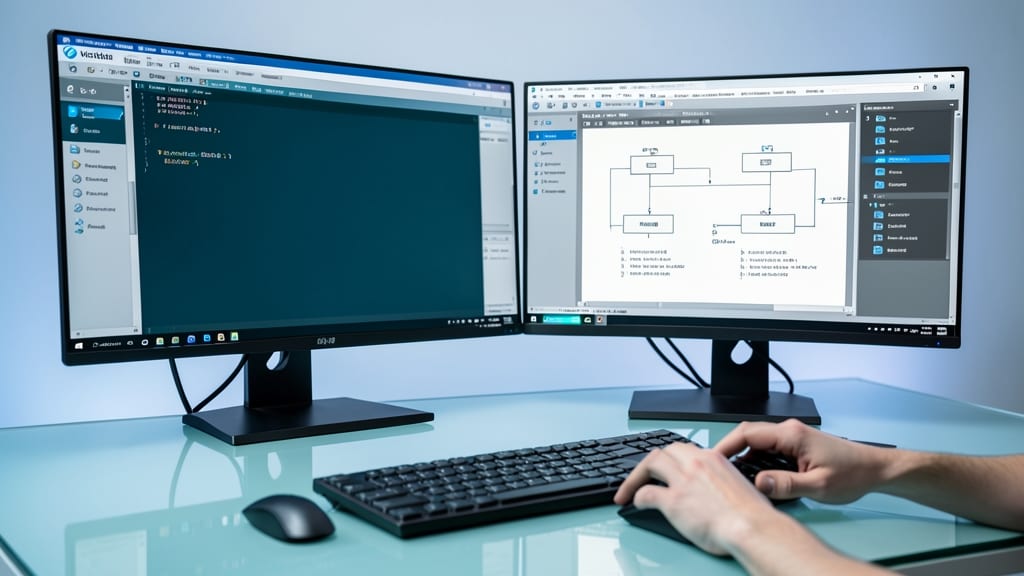
Tired of juggling separate tools for database design, development, and deployment? SQL Server Data Tools (SSDT) bridges that gap by embedding a complete database development lifecycle directly into Visual Studio 2010/2012. This isn’t just another plugin—it’s a game-changer for teams that need schema comparisons, unit testing, and CI/CD pipeline integration without context-switching.
With SSDT, you get schema refactoring, data generation plans, and project-based deployment models—all while leveraging Visual Studio’s familiar interface. The database project model lets you version-control scripts alongside code, and the schema comparison tool highlights changes between environments in real time. Even better, it supports T-SQL debugging and IntelliSense for stored procedures, making development feel seamless.
This tool is a must-have for database-centric teams—whether you’re a solo dev managing schemas or a DBA collaborating with developers. It cuts deployment friction and keeps everyone aligned under one roof. 💻
Contained Database Backup for Simplified Recovery
Tired of full-server backups when you only need to restore one database? SQL Server 2012’s Contained Database Backup feature lets you target individual databases without touching the entire instance. This granular approach cuts recovery time and storage needs by isolating operations to specific databases.
With this feature, you can perform database-specific backup and restore operations using T-SQL commands like BACKUP DATABASE with the CONTAINMENT = PARTIAL option. It works seamlessly with contained databases (introduced in the same release), ensuring compatibility while avoiding server-level dependencies. The result? Faster recoveries and less downtime when issues arise in just one database.
Database administrators managing multi-tenant environments or large-scale deployments will appreciate this precision—no more waiting for full-server backups when a single database fails. 💪
Enhanced AlwaysOn Read-Only Routing for Scalability

Struggling with reporting workloads that slow down your primary database? SQL Server 2012’s Enhanced AlwaysOn Read-Only Routing solves this by automatically redirecting read-heavy queries to secondary replicas, freeing up your primary server for critical transactions.
This feature intelligently routes SELECT statements to read-only replicas, ensuring zero impact on write performance while scaling out analytics workloads. With automatic failover support, secondary replicas stay synchronized, and you gain high availability for reporting without manual intervention. The best part? It works seamlessly with AlwaysOn Availability Groups, making it ideal for enterprises running complex data warehouses.
Data analysts and BI teams will love this—no more waiting for reports to run during peak hours. Perfect for organizations needing scalable analytics without compromising primary database performance. ✨